The short answer
Yes. Microsoft Copilot can be used safely with confidential business data, provided your staff use the business version with their work accounts and your Microsoft 365 environment is properly secured. Microsoft does not use your prompts, responses or company files to train its AI models. The bigger risk is usually inside your own business: files shared too widely, weak access controls and staff using the free consumer version of Copilot.
Artificial intelligence is quickly becoming part of everyday business. Tools such as Microsoft Copilot draft emails, analyse documents, summarise meetings and find information across an organisation in seconds.
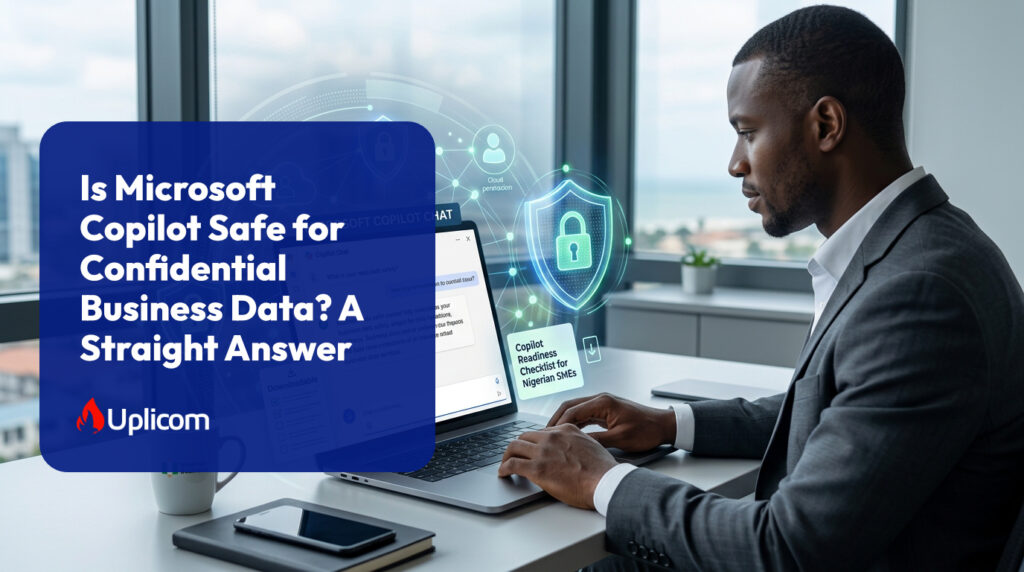
But if your business handles customer information, financial records, employee data, contracts or internal strategy, one question comes first: is Microsoft Copilot actually safe for confidential business data?
This guide explains how Copilot handles your data, where the real risks lie, and the steps to take before rolling it out. As a certified Microsoft partner, UPLICOM helps Nigerian businesses deploy Copilot securely, and these are the questions our clients ask most often.
First, Which Copilot Are You Using?
“Copilot” is not one product, and the answer to the safety question depends on which version your staff use. Microsoft renamed its business products in 2026, so you may also see the older names below.
| Version | What it does | Data protection |
| Microsoft Copilot (formerly Microsoft 365 Copilot) | Paid add-on or bundle. Works inside Outlook, Word, Excel, PowerPoint and Teams, and can draw on your emails, files, chats and meetings. | Enterprise data protection under Microsoft’s business terms. Respects your existing permissions. |
| Microsoft Copilot Chat (formerly Microsoft 365 Copilot Chat) | Included with Microsoft 365 business plans. An AI chat assistant that can use the web and files a user uploads or opens. | Enterprise data protection when staff sign in with their work account. |
| Consumer Copilot | The free Copilot app and website used with a personal Microsoft account. | Consumer terms. Not managed or audited by your organisation. |
Both business versions are covered by Microsoft’s enterprise data protection, with Microsoft acting as a data processor under its business data protection agreement. The consumer version is not.
That leads to a risk many SMEs overlook: employees pasting confidential information into the free consumer Copilot, or other public AI tools, using personal accounts. Your organisation has no visibility or control over that data. Giving staff an approved business tool, and a clear policy on using it, is one of the most effective protections available.
How Does Microsoft Copilot Handle Business Data?
Microsoft Copilot works within your organisation’s existing Microsoft 365 environment. It uses Microsoft Graph to find information such as emails, documents, Teams chats and meetings, but only content the user already has permission to access.
According to Microsoft’s data, privacy and security documentation:
- Prompts, responses and data accessed through Microsoft Graph are not used to train Microsoft’s foundation AI models.
- Prompts, the data they retrieve and the responses stay within the Microsoft 365 service boundary.
- Your data is protected with encryption and isolation between customer tenants.
- Copilot is covered by the same privacy, security and compliance commitments as the rest of Microsoft 365.
However, “not used to train AI” does not mean “never stored.” Copilot interactions can be logged and retained, and are subject to your auditing, retention and eDiscovery settings. That is useful for compliance, but it means you should review your retention policies before staff use Copilot with highly sensitive material.
What About Web Searches?
To answer some questions with up-to-date information, Copilot can search the web using Microsoft Bing. When it does, it sends a short search query generated from the prompt rather than your full prompt or files, and does not include details identifying the user or your organisation.
Administrators can turn web search off for the whole organisation or specific groups. Microsoft explains the controls in its guidance on managing web access. For most SMEs, leaving it on is reasonable, but businesses handling especially sensitive work may choose to restrict it.
The Biggest Risk: Oversharing
Imagine a company where staff have access to many SharePoint sites. Some hold customer financial records; others hold employee files, contracts, pricing and business plans. Over the years, access was granted generously and never reviewed.
Copilot does not give anyone access they did not already have. But it makes finding information dramatically easier. An employee who would never have browsed through dozens of folders can now simply ask, “What are the salaries in the finance team?” If the permissions allow it, Copilot can find the answer.
The key lesson
Copilot does not create security weaknesses, but it exposes them. If your Microsoft 365 permissions are poorly configured, Copilot can turn a hidden data governance problem into a visible one.
8 Steps to Take Before Deploying Copilot
For small and medium-sized businesses, the safest approach is to strengthen your Microsoft 365 environment first, then introduce AI.
1. Review Microsoft 365 permissions
Check who can access sensitive files, folders, Teams channels and SharePoint sites. Staff should only have access to what their role requires. Microsoft provides tools, including SharePoint Advanced Management and Microsoft Purview, to help identify overshared content.
2. Classify sensitive information
Identify confidential information and apply sensitivity labels, for example:
- Public
- Internal
- Confidential
- Highly Confidential
Copilot respects these labels and any encryption they apply, so labelling gives you control over what AI can use and share.
3. Use Data Loss Prevention (DLP) controls
DLP policies detect and protect sensitive information such as bank details, BVNs, customer records and employee data, adding an extra safety layer for regulated information.
4. Review external sharing
Examine how documents in SharePoint and OneDrive are shared outside the organisation, and remove unnecessary external access, particularly to sensitive files.
5. Strengthen identity security
Copilot can reach whatever a signed-in user can reach, so a stolen password now exposes more. Enforce multi-factor authentication for every account and consider conditional access policies.
6. Decide your web search and sharing settings
Choose whether Copilot may use web search, and review how staff can share Copilot-generated content and conversations.
7. Block unapproved AI tools
Set a clear policy on which AI tools staff may use with company data, and consider technical controls that restrict consumer AI services on company devices.
8. Train your staff
Technology cannot replace awareness. Staff should understand what information they may use with AI, how to check Copilot’s answers for accuracy, and that having access to information does not mean it is appropriate to use it for every task.
Licensing note: Copilot Chat is included with Microsoft 365 business plans, while Microsoft Copilot is a paid add-on or part of a bundled plan. Several of the controls above, including sensitivity labels, DLP across SharePoint, OneDrive and Teams, and conditional access, generally require Microsoft 365 Business Premium or an add-on. Uplicom can confirm what your current licences include.
Is your business ready for Copilot?
Uplicom offers Copilot Readiness Assessment for Nigerian businesses. We review your permissions, sharing, identity security and licences, then give you a clear, prioritised action plan. Prefer to start on your own? → Book Your Copilot Readiness Assessment
What Does This Mean for Nigerian SMEs?
For Nigerian businesses, the more useful question is not “Is AI safe?” but “Are we managing our business data well enough for AI to access it?”
Beyond the steps above, there are local considerations:
The Nigeria Data Protection Act 2023 (NDPA). If Copilot will work with personal data about customers, staff or suppliers, your obligations under the NDPA still apply. That includes limiting access to what each person needs, keeping data secure, and being able to account for how it is used. For higher-risk uses of personal data, consider whether a data protection impact assessment is required.
Where your data is stored. Microsoft 365 data for Nigerian organisations is stored in Microsoft data centres outside Nigeria. Your administrator can see your data location in the Microsoft 365 admin centre. Make sure your privacy notices and data transfer arrangements reflect this, in line with the NDPA’s rules on transferring personal data outside Nigeria.
A practical example. Consider a Lagos accounting firm with shared folders containing clients’ tax records, bank statements and payroll files. Before Copilot, a junior staff member might never have found a client’s payroll data buried in an old folder. After Copilot, a single question could surface it. Tightening permissions and labelling client files before rollout closes that gap.
This section is general information, not legal advice. Consult a data protection professional about your specific obligations under the NDPA.
Frequently Asked Questions
Does Microsoft Copilot store my company’s data?
Copilot interactions can be stored as part of your Microsoft 365 environment and are subject to your organisation’s retention, auditing and eDiscovery settings. Microsoft does not use this data to train its AI models.
Is the free version of Copilot safe for work?
The free consumer version is used with personal accounts under consumer terms, and your organisation cannot manage or audit it. Staff should use Microsoft Copilot Chat or Microsoft Copilot, signed in with their work account, for any business information.
Can Copilot see files I don’t have access to?
No. Copilot only uses content the signed-in user already has permission to access. That is why reviewing permissions before rollout is so important.
What licence do I need for Microsoft Copilot?
Copilot Chat is included with Microsoft 365 business plans. Microsoft Copilot, which works with your emails and files inside the Office apps, is a paid add-on or available in bundled plans. For stronger data protection controls, Microsoft 365 Business Premium is usually recommended.
Is Microsoft Copilot compliant with the Nigeria Data Protection Act?
Copilot is covered by Microsoft’s enterprise privacy and security commitments, but compliance depends on how your business uses it. Your organisation remains responsible for controlling access to personal data, securing it and meeting NDPA requirements.
Should we choose Microsoft Copilot or Google Gemini?
It depends mainly on which platform your business already uses. Read our comparison, Google Workspace vs Microsoft 365: Which Is Right for a Nigerian SME? [link: URL of your Workspace vs 365 article]
The Bottom Line
Microsoft Copilot can be a secure tool for businesses handling confidential information, when staff use the business version and it is deployed with Microsoft’s identity, security and compliance controls in place.
But Copilot is not a security solution in itself. It is only as safe as the environment around it. Before rolling it out, review your permissions, data classification, external sharing, identity security, retention policies and staff guidelines.
For SMEs, the principle is simple: secure your data first, then introduce AI. Do that, and your business can gain Copilot’s productivity benefits without putting confidential information at risk.
Deploy Copilot with confidence
Uplicom helps Nigerian businesses license, secure and roll out Microsoft Copilot, from readiness assessments and permission clean-ups to staff training, with naira invoicing and local support.