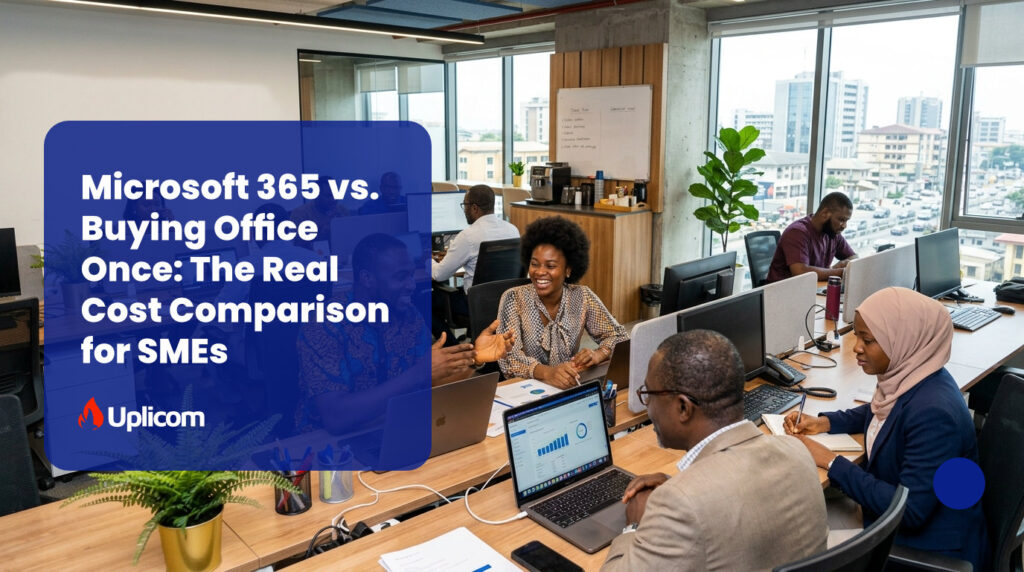
For many small and medium-sized enterprises (SMEs) in Nigeria, a common question when investing in productivity software is: Should we subscribe to Microsoft 365, or buy Microsoft Office once and own it forever? At first glance, a one-time purchase looks like the cheaper option — why pay every month for software you can buy outright? But once you run the actual numbers over a few years, and account for everything a one-time license doesn’t include, the answer changes. Below is the real cost breakdown, not just the sticker price.
| Want a cost breakdown tailored to your team size? → Get a free Microsoft 365 cost estimate for your business |
The Actual 3-Year Cost: Office Once vs Microsoft 365
Here’s what each option costs over three years for a 10-person team, using Microsoft’s current global list pricing as a baseline:
| Cost item | Office Home & Business 2024 (one-time) | Microsoft 365 Business Standard (subscription) |
| License cost (per user) | $249.99 one-time (approx. ₦350,000)* | $14.00/user/month (approx. ₦19,600)* |
| 3-year cost, 10 users | $2,499.90 (approx. ₦3,500,000) | $5,040.00 (approx. ₦7,056,000) |
| Business email hosting (10 users, 3 yrs) | Not included — add ~$540–$1,080 for a separate hosted email service | Included |
| Cloud storage & file sharing | Not included — add a separate cloud storage subscription | Included (1 TB/user via OneDrive + SharePoint) |
| Video meetings / Teams | Not included — add a separate video conferencing tool | Included (Microsoft Teams) |
| Security updates & new features | Security patches only — no new features until next paid version | Continuous updates, new features, and security improvements included |
| Realistic 3-year total (with equivalent services) | $2,499.90 + $1,500–$2,500 in add-on services ≈ $4,000–$5,000 | $5,040.00 — everything included, one bill |
The headline price of a one-time Office license looks far cheaper — but once you add the cost of matching Microsoft 365’s email hosting, cloud storage, and video conferencing separately, the true 3-year cost gap narrows significantly, and in many cases the one-time option ends up costing about the same or more once you factor in the time and hassle of managing multiple vendors instead of one.
Understanding the Difference
A one-time purchase of Microsoft Office gives you permanent access to classic desktop applications such as Word, Excel, and PowerPoint on a single computer. Once installed, you can continue using those applications indefinitely without paying additional licensing fees.
Microsoft 365, on the other hand, operates on a subscription model. Instead of purchasing only the software, you’re paying for an entire productivity ecosystem that includes desktop and web versions of Office applications, professional business email, cloud storage, collaboration tools, regular feature updates, and advanced security services.
In simple terms: buying Office gives you software. Microsoft 365 gives you an integrated business platform.
Upfront Cost vs Long-Term Value
For businesses with very basic needs, purchasing Office once can seem like the cheaper option because there are no recurring subscription payments. If all you need is to create documents, spreadsheets, and presentations on one computer, a perpetual license may be sufficient. But business needs rarely stay static. As companies grow, employees typically need professional email addresses, shared calendars, cloud storage, file collaboration, video meetings, and the ability to work from multiple devices — none of which come with a one-time Office purchase.
To match the functionality Microsoft 365 provides out of the box, a business would need to separately subscribe to email hosting, cloud storage, and video conferencing tools. As the cost table above shows, those additional subscriptions can quickly close the price gap — or exceed it.
Automatic Updates vs Paying for Every New Version
When you buy Microsoft Office outright, you receive security updates, but you don’t automatically get major new features or future versions of the software. When Microsoft releases a new version with improved capabilities, you’ll typically need to purchase an entirely new license to upgrade.
Microsoft 365 subscribers, by contrast, always have access to the latest features, performance improvements, and security enhancements as part of their subscription — so employees keep working with current tools without periodic repurchases.
Collaboration Is No Longer Optional
Employees need to edit documents simultaneously, share files securely, run virtual meetings, and communicate effectively regardless of location — standard expectations now that hybrid and remote work are the norm.
Microsoft 365 includes tools such as Microsoft Teams, OneDrive, and SharePoint, letting teams collaborate in real time while keeping files synchronised across devices. A one-time Office purchase doesn’t provide these integrated collaboration services, meaning businesses need additional software to reach the same level of teamwork.
Security Matters More Than Ever
Microsoft 365 includes built-in security features that help protect user accounts, business data, and company devices. Depending on the plan, businesses also benefit from advanced threat protection, identity management, ransomware protection, and device management tools.
A standalone Office license provides the software itself but not these broader business security capabilities. For organisations handling customer information, financial records, or confidential documents — increasingly relevant under Nigeria’s Data Protection Act (NDPA) — these protections can meaningfully reduce operational risk.
Flexibility for Growing Businesses
With Microsoft 365, adding or removing users is straightforward, and employees can access their files and apps from multiple devices — supporting remote work, business travel, and flexible arrangements. A perpetual Office license is tied to individual installations, making expansion and device management less convenient as a business grows.
Which Option Is Right for Your Business?
The best choice depends on how your business actually operates:
- Sole proprietors or freelancers who only need Word, Excel, and PowerPoint on one computer, without business email, cloud storage, or collaboration tools: a one-time Office purchase can be a practical, cost-effective solution.
- Businesses with multiple employees that collaborate regularly, use professional email, store files in the cloud, or expect to grow: Microsoft 365 offers considerably greater value as a single, integrated platform rather than several separate subscriptions.
Frequently Asked Questions
Is it cheaper to buy Office once or subscribe to Microsoft 365?
For a single user with only basic document needs, buying once is usually cheaper upfront. But for a team that also needs business email, cloud storage, and video meetings, matching those features separately often costs as much as or more than a Microsoft 365 subscription over 3 years — see the cost table above.
Does a one-time Office purchase get security updates forever?
Yes, for as long as that version is supported by Microsoft, but it does not include new features or the next major Office version — that requires a separate purchase.
Can I use Microsoft 365 without the cloud and collaboration features?
Yes — you can choose to use only the desktop apps, but you’ll still be billed for the full plan. If your team genuinely doesn’t need email, Teams, or cloud storage, Microsoft 365 Apps for Business (desktop apps + OneDrive only) may be a more cost-effective middle ground.
How long does a one-time Office license last before I need to buy again?
There’s no forced expiry, but Microsoft typically releases a new perpetual version every 2–3 years, and mainstream support for older versions eventually ends — at which point you stop receiving security updates unless you upgrade.
What’s the real cost difference for a 10-person Nigerian SME?
Based on current list pricing, the 3-year gap narrows to roughly [insert your current Naira pricing comparison here] once equivalent email, storage, and video conferencing tools are added to the one-time option.
The Bottom Line
Choosing between Microsoft 365 and a one-time Office purchase isn’t simply a question of price — it’s a question of business needs. A perpetual Office license may save money upfront, but it offers limited functionality beyond the core desktop applications. Microsoft 365 requires an ongoing subscription, yet it delivers continuous software updates, professional email, cloud storage, collaboration tools, enhanced security, and the flexibility to support a growing workforce.
For most Nigerian SMEs, the subscription model represents a better long-term investment. The productivity gains, improved collaboration, and built-in security often outweigh the recurring cost, making Microsoft 365 not just an expense, but a strategic business tool that helps organisations work smarter and grow with confidence.
| Not sure which option fits your business? → Talk to our certified Microsoft 365 advisors for a free, no-obligation cost comparison |