Cybersecurity is no longer just an IT problem. For Nigerian businesses, it is a business survival issue.
As businesses across Nigeria move more of their operations onto email, Microsoft 365, Google Workspace, online banking, WhatsApp and digital payment platforms, cybercriminals have more ways in than ever before.
Yet many businesses still treat cybersecurity as a single purchase — antivirus software, or a stronger password policy — rather than an ongoing practice.
The reality is different. Some of the most damaging security weaknesses are not exotic attacks. They are ordinary business habits that nobody has flagged as risky: the shared login, the urgent WhatsApp payment request, the backup nobody has tested since it was set up.
Here are seven cybersecurity mistakes Nigerian businesses commonly make without knowing it — and what to do about each one.
The seven mistakes at a glance
- Using the same password across multiple accounts
- Believing antivirus software is enough
- Giving employees more access than they need
- Trusting payment instructions sent by email or WhatsApp
- Ignoring software and system updates
- Failing to maintain and test backups
- Thinking “we’re too small to be hacked”
If you only fix one thing this week, make it number four. It is the mistake that costs Nigerian businesses the most money, the fastest.
1. Using the Same Password Across Multiple Accounts
One of the simplest cybersecurity mistakes is also one of the most dangerous.
An employee uses the same password for their work email, their Microsoft 365 account, a supplier portal and a social media login. That password leaks in a breach on an unrelated website — something they signed up for years ago and forgot about. Attackers then take that email-and-password pair and try it everywhere else. This is called credential stuffing, and it is automated, cheap and effective.
The problem becomes far more serious when the reused password belongs to a director, a finance officer or anyone with authority over payments.
Enforce MFA before you worry about password strength
Unique passwords per account, managed through a reputable password manager, are the baseline. But password hygiene alone will always be undermined by human beings.
The control that actually stops credential attacks is multi-factor authentication (MFA) on email, cloud services and financial systems.
In practice, for a Nigerian business already on Microsoft or Google, this means:
- Microsoft 365: turn on security defaults at minimum. Better, use Microsoft Entra ID Conditional Access to require MFA and block sign-ins from unexpected locations or unmanaged devices.
- Google Workspace: enforce 2-Step Verification organisation-wide from the Admin console rather than leaving it optional per user.
- Adobe and other SaaS tools: federate identity through your Microsoft or Google directory so one MFA policy covers everything, and disabling one account closes every door.
A password should never be the only thing standing between an attacker and your company’s email.
2. Believing Antivirus Software Is Enough
Antivirus is a good practice. It is not a security programme.
Most modern attacks on small and mid-sized businesses do not involve a traditional virus at all. They involve a convincing email, a fake Microsoft login page, and an employee having a busy morning. Nothing malicious is ever downloaded. The attacker simply signs in with credentials that were handed over voluntarily.
No antivirus product prevents an employee from being persuaded.
Build layers, not a single line of defence
Effective protection stacks several controls so that one failure does not become a breach:
- Email filtering and impersonation protection — Microsoft Defender for Office 365 (Safe Links, Safe Attachments, anti-impersonation rules) or the equivalent controls in Google Workspace.
- Endpoint protection — Microsoft Defender for Business, included in Microsoft 365 Business Premium, or Defender for Endpoint on larger plans.
- Email authentication — correctly configured SPF, DKIM and DMARC records so criminals cannot easily spoof your own domain to your staff and customers.
- Sign-in monitoring — alerts for impossible-travel logins, new mail-forwarding rules and unusual mailbox activity.
- Employee awareness training, including simulated phishing.
Technology matters. So do people and processes, and most Nigerian businesses under-invest in the second two.
3. Giving Employees More Access Than They Need
Convenience creates exposure.
It is common to give staff broad access to shared drives and systems simply because it makes collaboration easier and nobody has time to configure permissions properly. But every extra permission increases the damage radius when an account is compromised — and accounts do get compromised.
An employee who needs sales documents rarely needs payroll records, HR files, bank statements or board papers.
Apply least privilege, then review it quarterly
Grant access to what the role requires, and nothing more. Then treat access as something that expires rather than something granted once and forgotten.
- Structure Microsoft 365 groups or Google Workspace organisational units around roles, not around individuals.
- Restrict who holds Global Administrator rights. Most businesses have more admins than they need, and admin accounts should not be used for daily email.
- Review permissions when someone changes role — not only when they leave.
- Offboard properly. Disable the account, revoke active sessions, reset the password and transfer data ownership on the employee’s last day. An ex-employee retaining mailbox access for months is one of the most common findings in a security review.
4. Trusting Payment Instructions Sent Through Email or WhatsApp
This is where Nigerian businesses lose real money.
The scenario is familiar. A WhatsApp message or email arrives from someone who appears to be your managing director or a long-standing supplier. There is an urgent payment to make, or new bank details to record. The tone is right. The signature is right. The email thread may even be genuine — because the attacker is sitting inside a compromised mailbox, reading it.
This is business email compromise (BEC), and it works because it exploits hierarchy and urgency rather than technology.
What makes it particularly costly here is the payment infrastructure. Funds transferred through NIBSS instant payment settle in seconds. Once the money is received and withdrawn or dispersed across mule accounts, practical recovery is extremely difficult, regardless of how quickly you report it. There is no undo.
Verify payment changes out-of-band, every time
Put a written rule in place and make it non-negotiable:
- No significant payment or bank-detail change is ever approved on the basis of an email or WhatsApp message alone.
- Verification happens through a different channel — a phone call to a number already held on file, never a number supplied in the request itself.
- Bank-detail changes for existing suppliers require dual approval.
- Set a naira threshold above which a second authoriser is mandatory.
- Give junior staff explicit permission to delay a payment in order to verify it. Most BEC succeeds because someone was afraid to question the boss.
Support this technically with impersonation protection in Defender for Office 365, external-sender warning banners, and alerts on newly created inbox rules — attackers almost always create forwarding or auto-delete rules to hide their tracks.
5. Ignoring Software and System Updates
The update notification is easy to dismiss. Attackers know this, and they scan the internet for businesses that have dismissed it.
Updates are not only new features. They frequently contain patches for vulnerabilities that are already publicly documented and already being exploited. An unpatched laptop, browser, router, firewall or accounting application becomes an unnecessary entry point.
Router and firewall firmware deserves specific mention. In many Nigerian offices it was configured once at installation, still uses the default administrator password, and has never been updated since.
Centralise patching instead of trusting individuals
- Manage updates centrally with Microsoft Intune update rings, or Windows Autopatch on eligible licences, rather than leaving each employee to decide.
- Include phones and tablets in the policy — mobile devices access company email too.
- Keep an inventory of network hardware and schedule firmware reviews.
- Retire unsupported operating systems. Devices that no longer receive security updates should not hold company data.
6. Failing to Maintain and Test Backups
Most businesses think about backups only after something has gone wrong. A laptop dies. A folder is deleted. Ransomware encrypts a shared drive. An employee departs and their files go with the account.
At that moment they discover the backup does not exist, has not run in months, or cannot actually be restored.
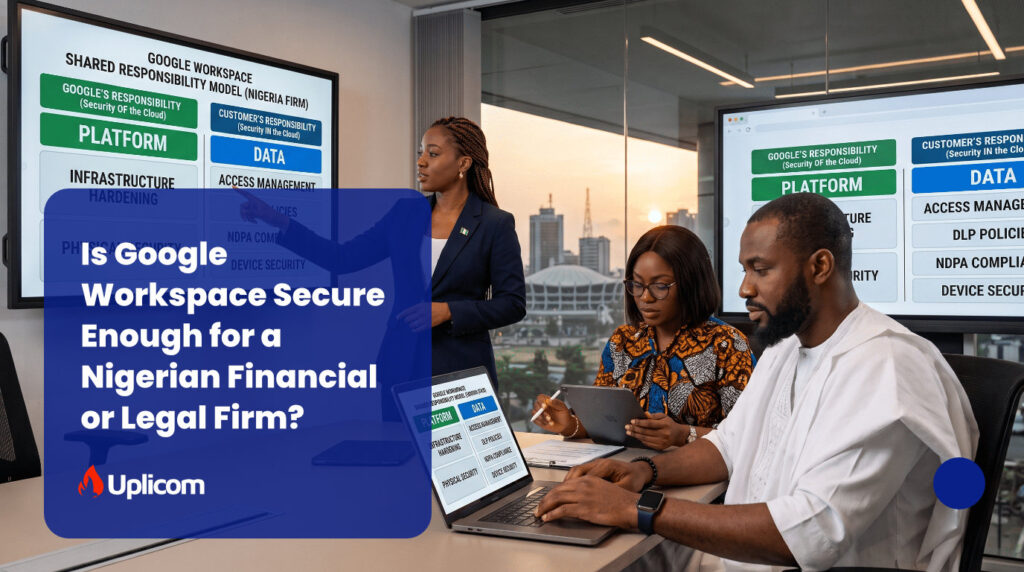
There is also a widespread and expensive misunderstanding worth stating plainly: Microsoft 365 and Google Workspace are not backup services. Microsoft operates a shared responsibility model — they guarantee the availability of the platform, you remain responsible for your data. Recycle bins and retention policies only protect data for a limited time, while Google Vault supports retention and eDiscovery rather than data restoration. If an attacker maliciously wipes a mailbox or ransomware encrypts files through OneDrive, native recovery features may not be enough to restore your data.
Back up your cloud data, and prove the restore works
- Use a dedicated third-party backup solution for Microsoft 365 or Google Workspace data, including mail, OneDrive, SharePoint and Teams.
- Keep at least one copy offline or immutable, so ransomware cannot encrypt the backups along with the originals.
- Perform a test restore on a schedule — quarterly is a reasonable minimum — and document the result.
- Know your recovery time. “We have a backup” is not an answer to “how long until we are trading again?”
A backup that has never been restored is a theory, not a safeguard.
7. Thinking “We’re Too Small to Be Hacked”
Perhaps the most costly assumption of all is that criminals only target large corporations.
They don’t. Most attacks are opportunistic and automated. Scanners look for exposed services and weak configurations; phishing campaigns are sent to millions of addresses at a time. Nobody chose your business — your business simply answered.
A small company with reused passwords, no MFA, broad file access and unpatched machines is a softer target than a bank with a security operations centre. Being small does not make you invisible. It often makes you easier.
The consequences are not only financial. Beyond stolen funds and downtime, a breach involving customer data now carries regulatory exposure under the Nigeria Data Protection Act 2023, enforced by the Nigeria Data Protection Commission (NDPC), which includes sanctions calculated against annual gross revenue for organisations that fail to protect personal data. Criminal offences are separately covered by the Cybercrimes (Prohibition, Prevention, etc.) Act 2015, as amended. Businesses in financial services carry additional obligations under CBN cybersecurity guidance.
Add reputational damage — customers who learn their data was exposed, suppliers who lose confidence — and the cost of a single incident routinely exceeds years of sensible security spending.
Cybersecurity Starts With the Basics
The encouraging part is that meaningful improvement rarely requires millions of naira up front. Most of the incidents we see could have been prevented by controls already included in licences the business is paying for.
Start here:
- Enable multi-factor authentication on every business-critical account.
- Use unique, strong passwords via a password manager.
- Patch operating systems, applications and network hardware centrally.
- Restrict access to sensitive information and review it quarterly.
- Establish a written verification procedure for payments and bank-detail changes.
- Configure SPF, DKIM and DMARC on your domain.
- Train employees to recognise phishing and social engineering.
- Back up cloud data independently, and test the restore.
- Offboard departing employees the same day.
- Write a basic incident-response plan — who to call, in what order.
Cybersecurity is not a project with an end date. It is an operating discipline.
For Nigerian business owners and executives, the question is not “Can we afford cybersecurity?”
It is: “Can we afford the consequences of not having it?”
The businesses that take this seriously today will be in a far stronger position to protect their money, their people, their customers and their reputation tomorrow.
Frequently Asked Questions
Is antivirus software enough to protect a small business?
No. Antivirus addresses malicious files, but most successful attacks on small businesses involve stolen credentials, phishing and impersonation, where no malware is used. Effective protection combines MFA, email filtering, least-privilege access, patching, tested backups and staff training.
What is the most common cyberattack on Nigerian businesses?
Business email compromise — fraudulent payment or bank-detail change requests sent by email or WhatsApp — is among the most financially damaging, because instant interbank transfers are effectively irreversible once funds are withdrawn.
How much does cybersecurity cost for a small business in Nigeria?
Far less than most owners expect to begin with. Many essential controls, including MFA, Conditional Access, endpoint protection and device management, are already included in Microsoft 365 Business Premium or mid-tier Google Workspace plans. The usual gap is configuration, not licensing.
Does Microsoft 365 back up my data?
Not in the way most people assume. Microsoft guarantees the availability of the service; protecting your data within it remains your responsibility. Retention policies and recycle bins are time-limited, so a separate third-party backup is recommended for mail, OneDrive, SharePoint and Teams.
What should we do first if we suspect an account has been compromised?
Reset the password and revoke all active sessions immediately, check for unauthorised mail-forwarding or inbox rules, review recent sign-in activity, and halt any pending payments linked to that account until they are verified by phone.
Are Nigerian businesses legally required to protect customer data?
Yes. The Nigeria Data Protection Act 2023 places obligations on organisations that process personal data, enforced by the NDPC, with additional sector-specific requirements for regulated entities such as those supervised by the CBN.
Get a clear picture of where you stand
Most of the gaps above are invisible until someone looks for them.
Uplicom is a Microsoft, Google, and Adobe cloud solutions partner working with Nigerian businesses to secure the platforms they already use. We will review your Microsoft 365 or Google Workspace tenant against the controls outlined in this article and provide a prioritised report on what to fix first.
Request a free security posture review– uplicom.com/schedule